
Another year and another new iPhone for me. it feels like more of an “S” year for me – several minor tweaks to differentiate this phone from the last generation. In my mind there are two standout features – one hardware and one software. Both are camera related.
For the first time on an iPhone, Apple has given us an adjustable aperture. Historically, you only had one mechanical aperture setting on an iPhone – they were designed to essentially an infinity focus, so that basically everything near and far was in focus. On the 18 Pro you have four selectable aperture settings on the main camera which take you from wide open at f1.48 to stopped down at f4. Keep in mind the iPhone camera sensor is considerably smaller than a full frame mirrorless camera. The full-frame depth-of-field equivalence of this aperture range would be about f5.1–f13.8. Does this help much photographically? Not to any great extent – wide open with an equivalent F 5.1 does not create fantastic background blur or bokeh. And from a video perspective, you’re probably still going to need to be use ND filters in bright light conditions, if you want to shoot at 24 or 30 frames per second with a slow shutter speed – stopping down to f4 doesn’t alleviate the need for ND filters.
WHY THEN AN ADJUSTABLE APERTURE
I’m pretty convinced that the next generation of iPhone will have a larger sensor, and we’ll see greater benefits from an adjustable aperture as a result. But for the time being, the new adjustable aperture on the 18 Pro does provide one of my favorite photographic “character flaws” – lens flare. Here’s a photo that I took with the iPhone 18 Pro. with the aperture set wide open at f1.48:
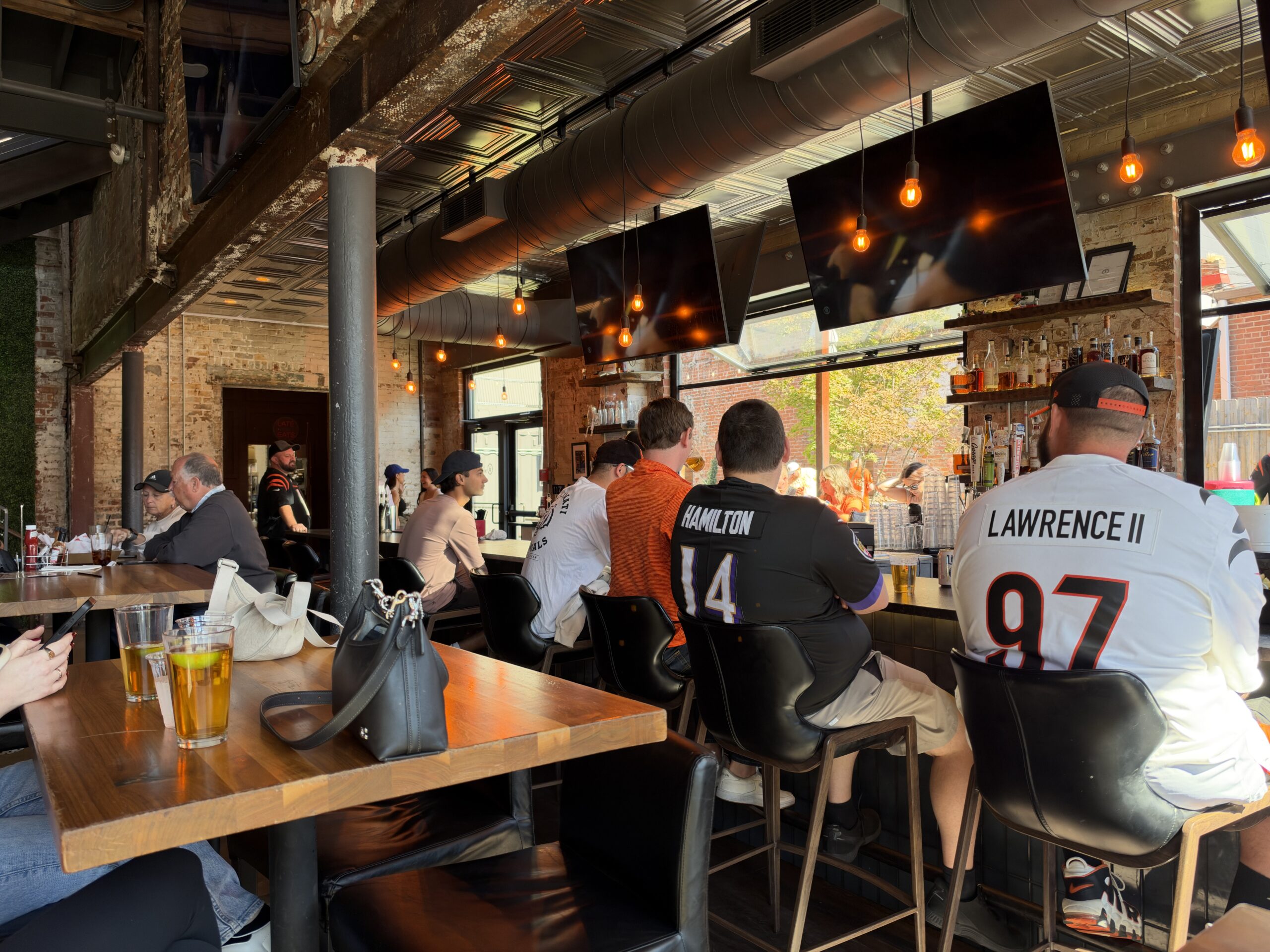
An image taken with the iPhone 18 Pro at f1.4
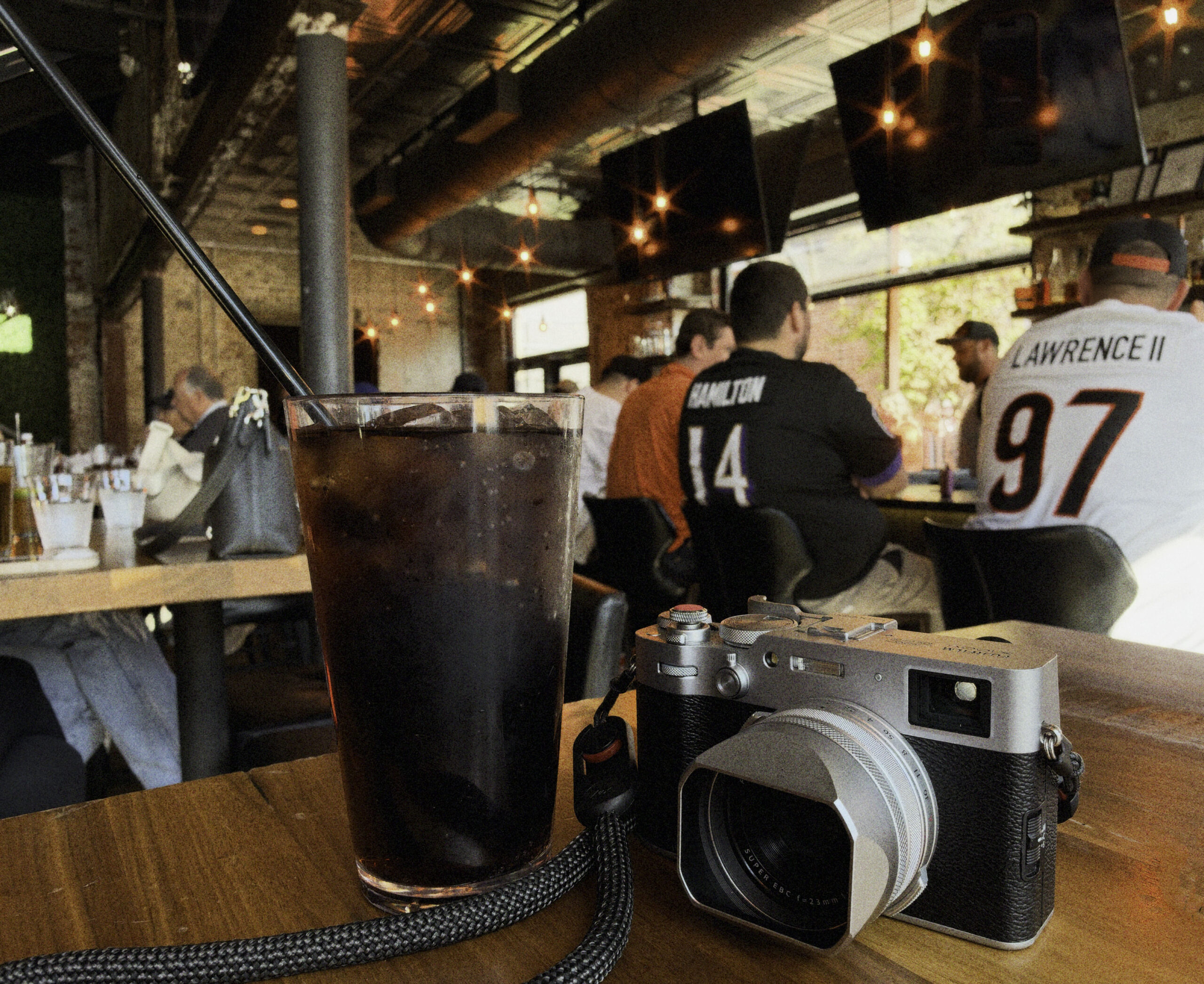
You’d be forgiven if you thought this photo looked pretty much like any iPhone photo taken in the past three generations of iPhones. But when we stop down the adjustable aperture to f4, we see a lens character effect I’ve only previously seen with actual cameras – sun stars:

The sun stars you can produce with the iPhone 18 Pro are surprisingly attractive.
APPLE GOES FUJIFILM
Like most camera manufacturers today, Apple has jumped on the FUJIFILM film simulations bandwagon and updated their filters that can be applied to photos – called “Styles.” Apple has always had these filters, but with the latest iOS 27 release, the iPhone 18 Pro now has the ability to do its own film simulations. Here’s an example:
for this image, I used the Gold + Film styles option:
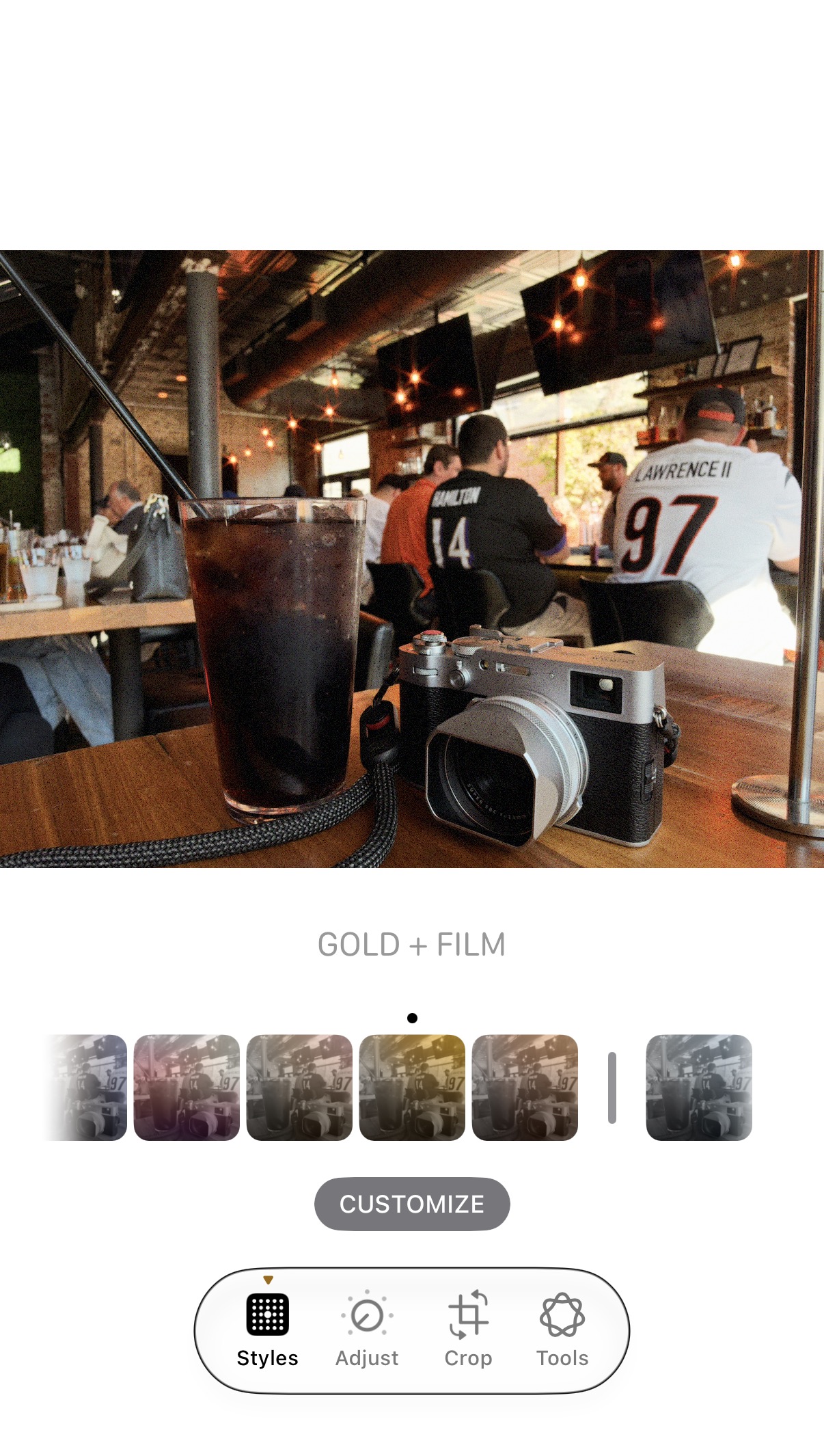
I then customize the settings to give it more Porta 400 feel:
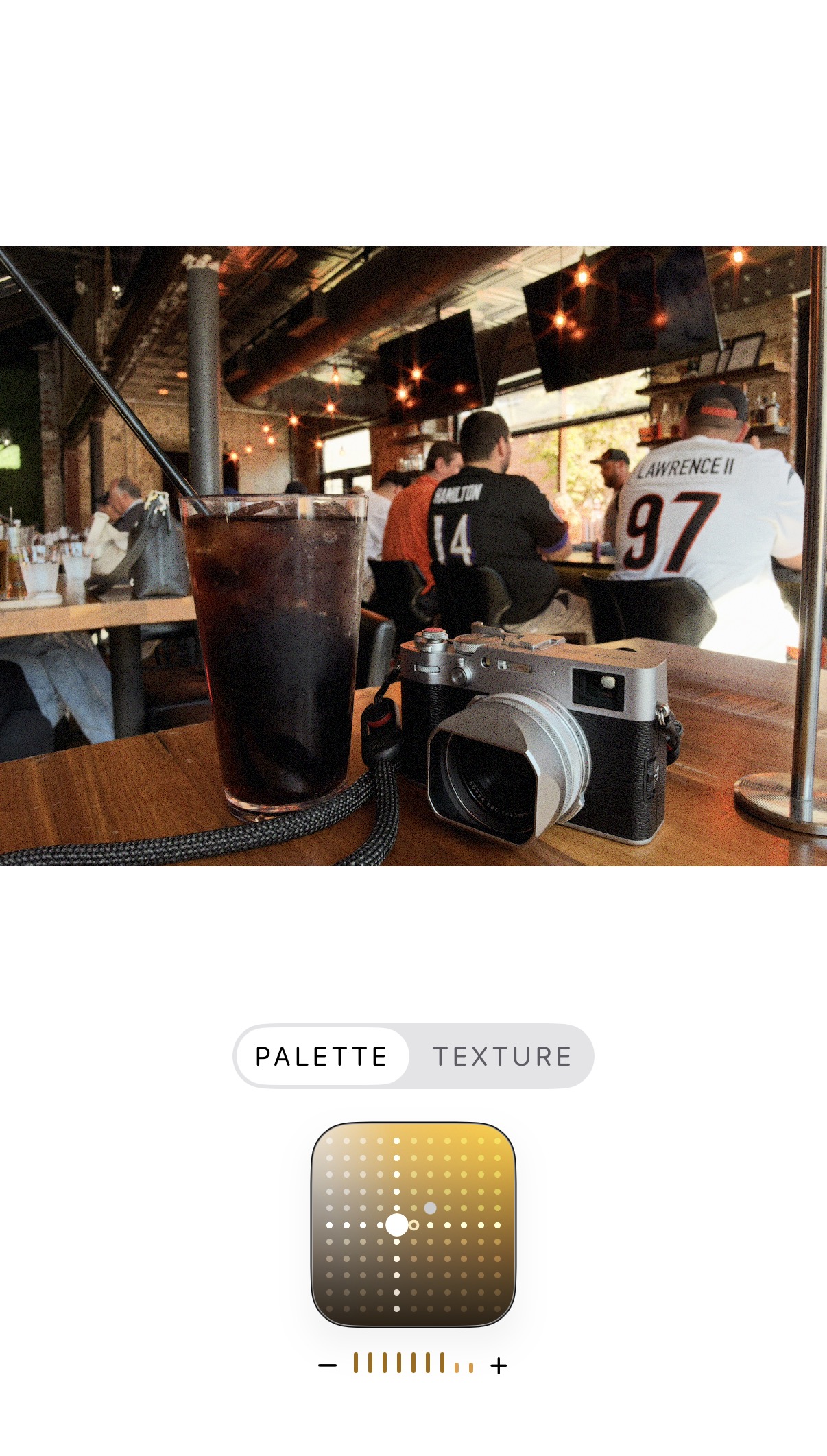
This is certainly a fun step in the right direction For iPhone photography. The only thing I don’t particularly care for is the interface when you’re trying to adjust the “Palette”. You have to try to adjust 3 different settings with that dot on the grid with your finger – Color, Tone, and “Palette.” It’s an exercise and frustration that’s enough to make a preacher cuss. Please, please, just give me sliders.
I think a lot of people will really enjoy the new hardware and software capabilities of the iPhone 18 Pro. But there is room for improvement. I’m really interested. to see what Apple has in store for the next iPhone. which should be the iPhone 20.
0 Comments